What to post after a marathon: a race day plan
September 11, 2026 · 5 min read · By Joao Silva
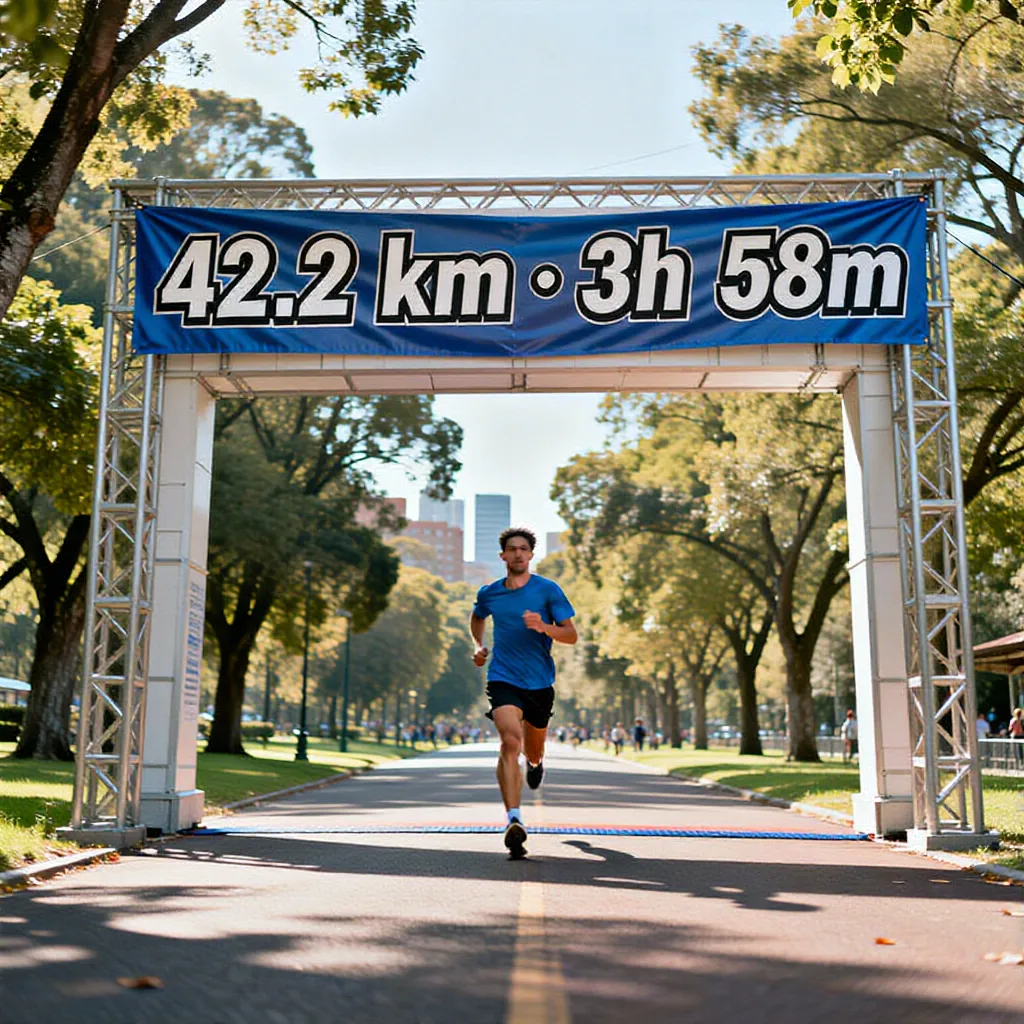
The finish photo is the easy part. The hard part is the hour afterwards, when you are sore, your phone is nearly dead, and everyone who tracked you is waiting to hear how it went. Here is a plan you can work through in a few minutes, so the race gets a post worth the training block behind it.
Post while the day is still the day
Race posts age fast. The people who were refreshing your tracker want to see it the same afternoon, and by Wednesday a marathon photo is just a photo. You do not need a polished edit to hit that window, you need one image with your finish time on it and a line about how it felt.
That is the whole argument for doing the work on your phone in the finish area. Connect your race once and ActivArt reads the finish time, distance, and pace straight from the activity, so the numbers in the post are the real ones and you are not typing anything in with cold hands.
The four shots almost every race gives you
You probably have more usable material than you think. Most races hand you the same four moments, and each one wants a different treatment.
The finish shot is the one that carries the numbers. The start line and on-course photos work better as a set than on their own. The aftermath shot, sitting on a kerb with a foil blanket, is usually the one people reply to.
| Shot | What it is good for | Treatment |
|---|---|---|
| Start line | Setting the scene, nerves, the crowd | Keep it plain, save the numbers for later |
| On course | Showing the route and the conditions | Style it to match the weather you ran in |
| Finish | The post everyone came for | Finish time and distance set into the scene |
| Aftermath | The honest one, and usually the most liked | Little or no styling, let it be what it is |
Put the finish time in the frame, not in the caption
A finish time in the caption gets read by the people who already care. A finish time in the image gets read by everyone who scrolls past. ActivArt sets your real distance, time, and pace into the scene itself rather than stamping a box over the top, so it reads as part of the picture.
For a finish photo, the placements that work are the ones a race already has: a scoreboard, a finish arch, a banner, or the road under your feet. Pick the one that matches what is actually behind you in the shot and the numbers look like they were always there.
If you did not take a single photo
Plenty of people finish a marathon with an empty camera roll, because at mile 23 nobody is thinking about content. You can still post. ActivArt builds a finish scene from the activity itself, with your real numbers in it, without any photo from the day.
It is not a stock image with your time pasted on. The scene is composed around your activity type and your figures, so it tells your race rather than a generic one. Full walkthrough in the guide on creating workout art with no photo.
Give the route its own post
The finish image and the route are two different stories, and trying to tell both in one post weakens each of them. A marathon route animating across the map, with your photos appearing at the point on course where you took them, holds attention in a way a still cannot.
If the race was hilly, the elevation profile is the better second post. It builds your climb frame by frame and makes the hard section obvious to people who have never run the course.
Write the caption in three lines
The number, the moment, and the thing that hurt. That is the whole formula and it works because it gives people something to reply to. "3:41, went out too fast, paid for it from 30k" beats a paragraph of gratitude every time.
Tag the race, not a pile of generic hashtags. Race hashtags are where other runners from the same start line are already looking, which is the only hashtag audience that reliably finds you.
A race day order that works
Same afternoon, post the finish image with the time in it. The next day, post the route or elevation video, because the people who liked the first one will watch the second. Later in the week, if you have it, post the aftermath shot or something from the training block, which is the post that usually starts an actual conversation.
Three posts from one race, spaced out, beats a nine-image carousel that gets three seconds of attention on Sunday night.
Make your next race worth posting